Stakeholder Feedback Log: Fields, Template and Upkeep
Stakeholder Feedback Log: Fields, Template and Upkeep
A stakeholder feedback log is a running list of every comment, concern and request your stakeholders give you, with who said it, when, what you did about it and why. Keep one row per piece of feedback, assign an owner to each, and write down the decision even when the answer is “no change.” That is the whole idea. The value comes from the discipline of filling in the same fields every time and from being able to trace each row back to the conversation it came from.
This guide covers what to record, a template you can adapt for design and architecture work, how to consolidate and prioritize, and how to keep the log alive from kickoff to closeout.
TL;DR
- Log each piece of feedback as its own entry: source, role, date, context, the feedback itself, category, impact, owner, response and status.
- Capture first and filter later. Record the comment as it was said, then assess it.
- Write down decisions not to change anything, along with the reasoning. That is where logs earn their keep.
- Link every entry to its source (meeting, email, transcript, markup) so the reasoning can be traced months later.
- Review the log on a fixed cadence and close the loop with the person who gave the feedback.
Table of Contents
- What a stakeholder feedback log is for
- What to record in each entry
- Adapting the template for a design or architecture project
- Collecting and consolidating feedback
- Recording responses, decisions and follow-up
- Tracing feedback to its source and preserving the reasoning
- Reviewing and maintaining the log across the project
- Our perspective
- Turning conversations into records
- Common mistakes to avoid
- FAQ
- Sources
What a stakeholder feedback log is for
PMI describes a log as a list of items with key information, linked to fuller forms or records. According to PMI’s guidance on risk, issue and change logs, logging helps teams remember items, show that concerns were heard, focus communication, monitor progress, manage proactively and document resolutions. A feedback log applies that same logic to stakeholder input.
Three practical jobs follow from that:
- Nothing gets lost. A comment made in a hallway, a call or a chat thread stops depending on one person’s memory.
- Stakeholders see they were heard. When you can show a client or reviewer exactly what happened to their comment, the next conversation starts from trust rather than repetition.
- Patterns show up. Ten separate remarks about circulation or budget look like noise until they sit in one table.
PMI also frames logs as a shift from reactive firefighting to proactive management, because concerns are recorded, scheduled and reviewed rather than handled only when they become urgent.
What to record in each entry
The minimum is simple. A stakeholder feedback log template recommends capturing the stakeholder, their role, the date, the context or channel, and the feedback itself. Channels can be meetings, interviews, surveys, emails and informal conversations.
Beyond the minimum, the same template suggests you classify each item (positive, concern, suggestion, objection or question), assess its impact and urgency, assign a response owner, and record the response and the date. A practical improvement-log framework extends this with organization, initiative, suggested improvements, action plan, status, follow-up date and notes.
One more field matters more than any of those. A feedback log template built around decisions argues for recording the underlying need, your assessment, the decision and the response, so the reasoning is preserved instead of living in someone’s head or a chat thread. We agree, and we come back to this below.
A field list you can copy
| Field | What goes in it | Why it earns its place |
|---|---|---|
| ID | A short running number (FB-014) | Lets you cite an entry in emails and meetings |
| Date | When the feedback was given | Orders the history |
| Stakeholder and role | Name, title, organization | Shows whose view carries what weight |
| Channel and context | Meeting, call, markup, email, site visit | Lets you find the original |
| Source link | Link to the notes, transcript or file | Makes the entry traceable |
| Feedback | The comment, close to the speaker’s words | Prevents paraphrase drift |
| Underlying need | What they are trying to achieve | Often differs from the stated request |
| Category | Positive, concern, suggestion, objection, question | Reveals patterns |
| Impact and urgency | High, medium or low, with a short reason | Drives prioritization |
| Owner | One named person | Ends “someone will look at it” |
| Decision | Accept, modify, defer, decline | The record that matters later |
| Rationale | Why you decided that | Preserves the why |
| Response and date | What you told them and when | Closes the loop |
| Status and follow-up | Open, in progress, closed; next check date | Keeps the log current |
Fourteen columns looks like a lot. In practice, the capture fields (the first seven) take under a minute, and the assessment fields get filled in during a weekly review.
Adapting the template for a design or architecture project
Design work has quirks that a generic log misses. Feedback comes as marked-up drawings, comments in a review session, spoken remarks on a walkthrough, and a client’s late-night email about a finish. Adapt the table like this:
- Add a phase column. Concept, schematic, design development, documentation, construction. The same comment means different things, and costs different amounts, depending on the phase.
- Add a drawing or model reference. Sheet number, view, room or element. “The kitchen feels tight” is far more useful tied to a plan.
- Separate the stated request from the design intent. A client asking for a bigger window may be asking for light, a view or ventilation. Record the need, then the options.
- Mark who has authority to decide. On a project with a homeowner, a couple, a contractor and a consultant, not every voice carries a decision.
- Record cost and schedule effect. Even a rough note (“adds a week to documentation”) helps the next conversation.
- Add a “supersedes” field. Feedback often reverses earlier feedback. Link the later entry to the earlier one rather than deleting anything.
If you teach or study design, the same structure fits critique sessions. Replace stakeholder with reviewer, and the decision field becomes “what I will change, and what I will keep and why.” For deeper treatments of this, our guides on client comment tracking for design teams and client feedback tracking in a 30-minute capture routine go through fields and rollout in detail.
A worked entry
Here is what one row might look like for a small residential project:
- ID: FB-031
- Date and channel: design review call, schematic phase
- Stakeholder: the client’s spouse, co-decision maker
- Feedback: “The north bedroom window looks small. It feels like a cave.”
- Underlying need: morning light and a sense of openness, not necessarily a larger opening
- Category: concern
- Impact: medium; touches facade composition and energy performance
- Owner: project architect
- Decision: modify; enlarge the window by one bay and add a clerestory option for comparison
- Rationale: addresses the light concern while keeping the facade rhythm agreed in FB-012
- Response: options sketch sent after the next review, follow-up date set
Six months later, when someone asks why the north facade changed, the answer is one click away.
Collecting and consolidating feedback
Log it straight away, unfiltered
The template mentioned earlier advises logging feedback immediately and without filtering at the point of capture, including comments made informally in corridors or over coffee. Judgement comes after. If you decide while you capture, you will quietly drop the awkward comments, which are often the most useful.
Where you record matters as much as how. Feedback arrives in formal sessions and in casual moments, and a good habit is to decide in advance which meetings get a designated note-taker. A set of team reflection questions for better retrospectives can help you structure the conversation so the feedback you want comes out in the room rather than weeks later.
Cluster, then prioritize
SAP’s design-thinking group publishes a structured approach to capturing feedback. Its steps translate well to any design review:
- Decide beforehand what you want to learn.
- Collect impressions in one session.
- Cluster them into positive reactions, concerns and new ideas.
- Prioritize what is critical to success.
- Iterate on the design using the prioritized feedback.
It also advises letting the work speak for itself and avoiding defensiveness while people react. That second point is a log habit as much as a mindset: write down the comment first, argue with it later.
When the feedback comes from many events and methods, a log helps you consolidate it, spot recurring themes and report back to those affected and to decision-makers.
Keep the log separate from your task list
A feedback log holds raw input and its context. Your task list or backlog holds commitments you intend to deliver. Keeping them apart means you can record a comment without promising to act on it. Items worth acting on get converted into tasks, with the log entry as their origin. For a product-owner view of this split, see one practitioner’s feedback log workflow.
Recording responses, decisions and follow-up
This is where most logs fall short. The feedback is captured, then nothing is written about what happened.
The guidance behind the first template is direct: give each concern or objection a named response owner, record how each item was addressed and when, and document even decisions not to change. Pair that with an action plan, a status and a follow-up date, as the improvement-log framework above does.
A few rules keep this honest:
- One owner per item. A team is not an owner.
- Four decisions only. Accept, modify, defer, decline. Anything else hides indecision.
- A reason for every decision. One sentence is enough. “Declined: conflicts with the fire-separation requirement agreed in FB-008.”
- Tell the person. Close the loop with whoever gave the feedback, and log the date you did.
- Never delete. Mark an entry superseded and link the replacement.
Declined items deserve special care. A client who hears “we considered that, here is why we went another way” usually accepts it. A client who hears nothing raises it again at the worst moment.
Tracing feedback to its source and preserving the reasoning
A log row is a summary. A summary can be wrong, or incomplete, or stripped of tone. Traceability means each row points to the original: the meeting notes, the recording or transcript, the annotated drawing, the email.
Three habits make this work in a plain spreadsheet:
- Store sources in a predictable place and link to them from the Source column, with a timestamp for recordings.
- Quote before you paraphrase. Keep the speaker’s words in the Feedback column and put your interpretation in Underlying need.
- Record the rationale at the moment of decision, not at closeout. Memory of why you chose option B fades within weeks.
The decision side of this has a close cousin: the decision log. If you want to see how the two connect, our decision log template for project teams shows how a decision entry can reference the feedback entries that led to it.
Reviewing and maintaining the log across the project
A log you stop reading is a graveyard. Build the review into the project rhythm.
- Weekly, 15 minutes: sweep new entries, assign owners, set decisions on anything urgent.
- At each phase gate: check that every open item is closed, deferred with a date, or carried forward on purpose.
- At closeout: archive the log as part of lessons learned. The log-template guidance above recommends using the log from kickoff through closure and retaining it afterward for exactly this reason.
AWS’s operational guidance on implementing feedback loops is written for software operations, but its pattern holds anywhere: have a mechanism to receive feedback, a process to review it and schedule improvements, integrate it into how you work, and follow up with the submitter after changes. It also recommends retrospectives at the end of a cycle, on a cadence or after major releases.
Design and construction have their own natural feedback moments. The University of Oregon’s project feedback cycle document lists stages such as post-design, post-construction, debriefs, warranty check-ins and post-occupancy reviews, and says findings should be compiled into actionable suggestions for future projects. Add those moments to your calendar at kickoff so the log keeps growing after the drawings are issued.
One more caution from stakeholder-engagement practice: a toolkit on tracking and analysing stakeholder perspectives points out that corrective action for one group can create concerns for another. Reading your log by theme, and not only by item, is how you catch that early.
Our perspective
We built The Intent Ledger around a simple observation: design teams rarely lose the feedback itself. They lose the reason. A comment is in the email thread, but nobody can say why the team answered it the way it did, who was in the room, or what the client meant.
That is why we think a feedback log should not stop at “what was said” and “what we did.” It should keep the why, and it should link each decision back to the conversation it came from. In our ILM Records, a client comment, a critique remark or a meeting decision becomes a structured, source-backed entry with the decision, the design intent, the risks, the actions and the open questions beside it.
A spreadsheet is a fine start, and the fields in this article will serve you well in one. When the volume of conversations outgrows manual capture, we think the answer is to turn the conversations themselves into records, so the log builds as the project talks.
Rajas
Turning conversations into records
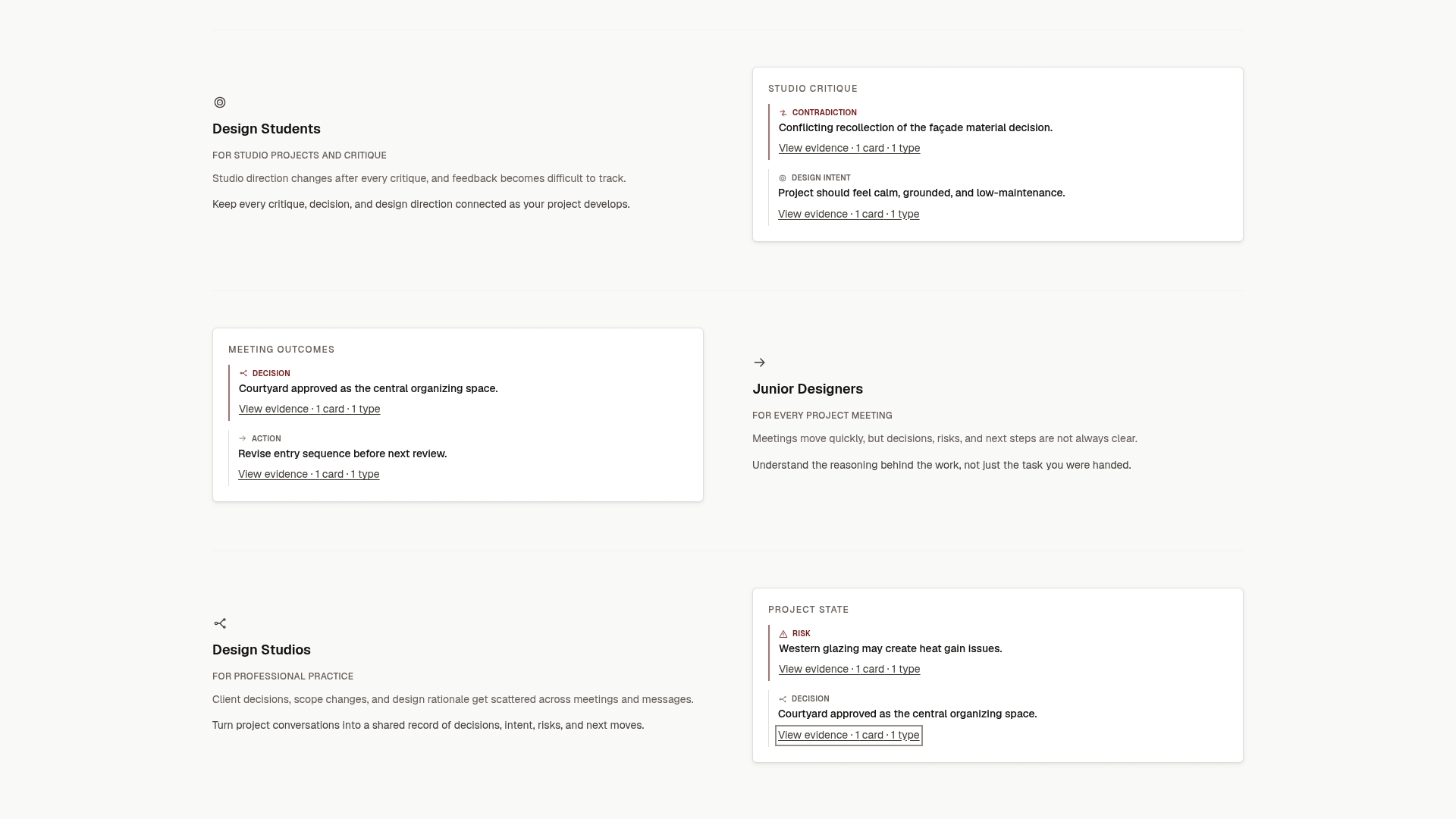
If your feedback lives in meeting notes, transcripts and client emails, The Intent Ledger converts them into ILM Records: structured entries for decisions, design intent, risks, actions, commitments and unresolved questions, each traceable to its original conversation.
You can buy a one-time record pack (Working Set at $12, Project Record at $29, Practice Memory at $59 or Studio Ledger at $119) or choose a monthly plan (Working Memory at $29, Living Record at $79 or Shared Ledger at $149). See the full pricing and plans to pick the one that fits your studio or your course project.
Common mistakes to avoid
- Logging only formal feedback. Informal remarks often carry the real concern.
- Starting too elaborate. Begin with the capture fields and add columns when a real question demands one.
- Mixing up status and decision. “Closed” is a status; “declined” is a decision. Track both.
- Burying the log. If people cannot find it in two clicks, they will not update it.
- Treating all stakeholders alike. Record role and decision authority so you can weigh input properly.
FAQ
What is the difference between a stakeholder feedback log and a decision log?
A feedback log records what stakeholders said and how you responded. A decision log records the choices the project made and the reasoning behind them. The two connect: a decision entry should point to the feedback entries that prompted it, and a feedback entry should point to the decision it produced.
What should a feedback register template include at minimum?
Capture the stakeholder, their role, the date, the channel or context, and the feedback itself. Then add a category, an owner, a decision and a response date. Everything else, such as impact scoring or cost notes, can be added once the habit is in place.
Should I log feedback I do not plan to act on?
Yes. Record it, assign it a decision of “decline” or “defer,” and write the reason in a sentence. That record shows the stakeholder was heard and protects the team when the same point returns later.
How often should we review the log?
A short weekly review keeps owners and statuses current, and a deeper review at each project phase gate catches anything left open. Finish with a closeout review so the lessons carry into the next project.
Sources
- Risks, issues, and changes: help, I’m drowning in logs (PMI)
- Stakeholder feedback log template
- Stakeholder feedback and improvement log framework
- Stakeholder feedback log template with decision fields
- SAP AppHaus: Capture feedback
- Feedback log: a guide to engagement data management
- The feedback log: my product owner workflow
- AWS: Implement feedback loops
- University of Oregon: Project feedback cycle
- Track and analyse stakeholder perspectives
- Team reflection questions for better retros